Archive for the ‘Dreamweaver’ tag

Create a Drop-down Menu with Dreamweaver CS4

How to create a cross-browser drop-down menu with Dreamweaver in minutes

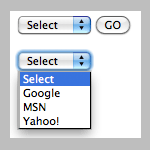
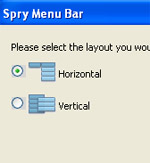
Create drop-down menu with Dreamweaver

This is going to be short and the main purpose is to let you know Dreamweaver CS4 has a built-in functionality letting you create a good CSS-based drop-down menu in minutes. I’m not sure at what version Dreamweaver started to have this built-in drop-down generator. Perhaps it was from CS3.

The drop-down is CSS/text-based, very easy to customize and maintain and works well with different browsers even when you have a big Flash or image banner right underneath.

Dreamweaver and MS Word

Learning web design with Dreamweaver based on MS Word knowledge and perspective

Dreamweaver and MS Word

If you’re in marketing, I’m pretty sure that you’re very familiar with MS Word. Believe it or not, your MS Word knowledge will make it easier for you to understand web design and even create web pages with Dreamweaver. Hopefully, this article will help you gain some fundamental understanding about web design and web design with Dreamweaver.

When Dreamweaver Has a Complete Advantage

Wonder why people use Dreamweaver to create and maintain web pages. Here are some cases when Dreamweaver has a complete advantage over text editors

Dreamweaver

Dreamweaver is considered by many one of the best HTML editors, if not THE BEST HTML editor currently available. It’s more than just another WYSIWYG [What you see is what you get] software where you can design/develop web page without having to know HTML. I will have multiple posts about Dreamweaver and how to use it to create websites and HTML emails for marketing professionals. This post is going to be about how using Dreamweaver saved me and probably you lots of time and efforts compared to using a text editor.